

Prerequisites
- Access to a Featul workspace.
- A Notra Organization ID.
- A Notra API key.
Connect Notra to Featul
- In Featul, open the Changelog page.
- At the top of the page, click Import from Notra.
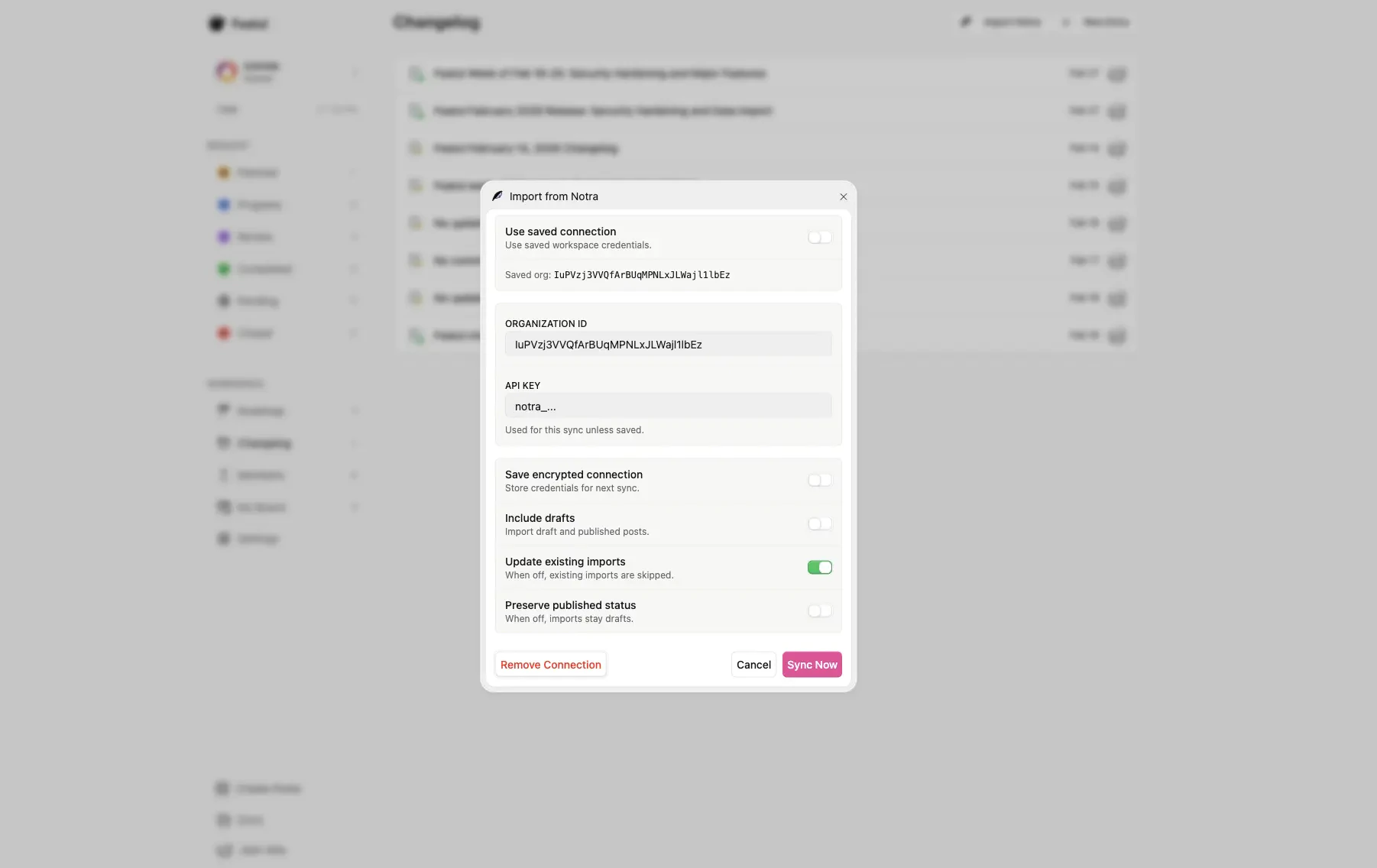
- In the import dialog, enter your Organization ID and API key from Notra.
- Optional: enable Save encrypted connection if you want Featul to reuse these credentials.
- Click Sync Now to start the import.
Where to find your Notra credentials
- Open Notra and select your organization.
- Copy the Organization ID from Settings > General.
- Create an API Key under Developer > API Keys.
- Return to Featul and paste both values into the Import from Notra dialog as seen above.
Notes
You can import both draft and published content by enabling Include drafts.
You can update previously imported entries by enabling Update existing imports.