GET /v1/status and the public feedback URL (POST /v1/feedback/{organizationSlug}) requires a bearer credential in the Authorization header. Two kinds of credential are accepted, and both are checked against the same scopes:
The API tells the two apart by shape: a value that parses as a JWT is verified as an OAuth token, anything else is verified as an API key.
How It Works
Authorization: Bearer <credential>. The scheme name is case-insensitive. Keys created in the dashboard start with ntra_; OAuth access tokens are used the same way, see OAuth.
The SDK reads the key from the
bearerAuth option. Its generated README refers to a NOTRA_BEARER_AUTH environment variable; any variable name works as long as you pass the value in.Create an API Key
1
Open the API Keys page
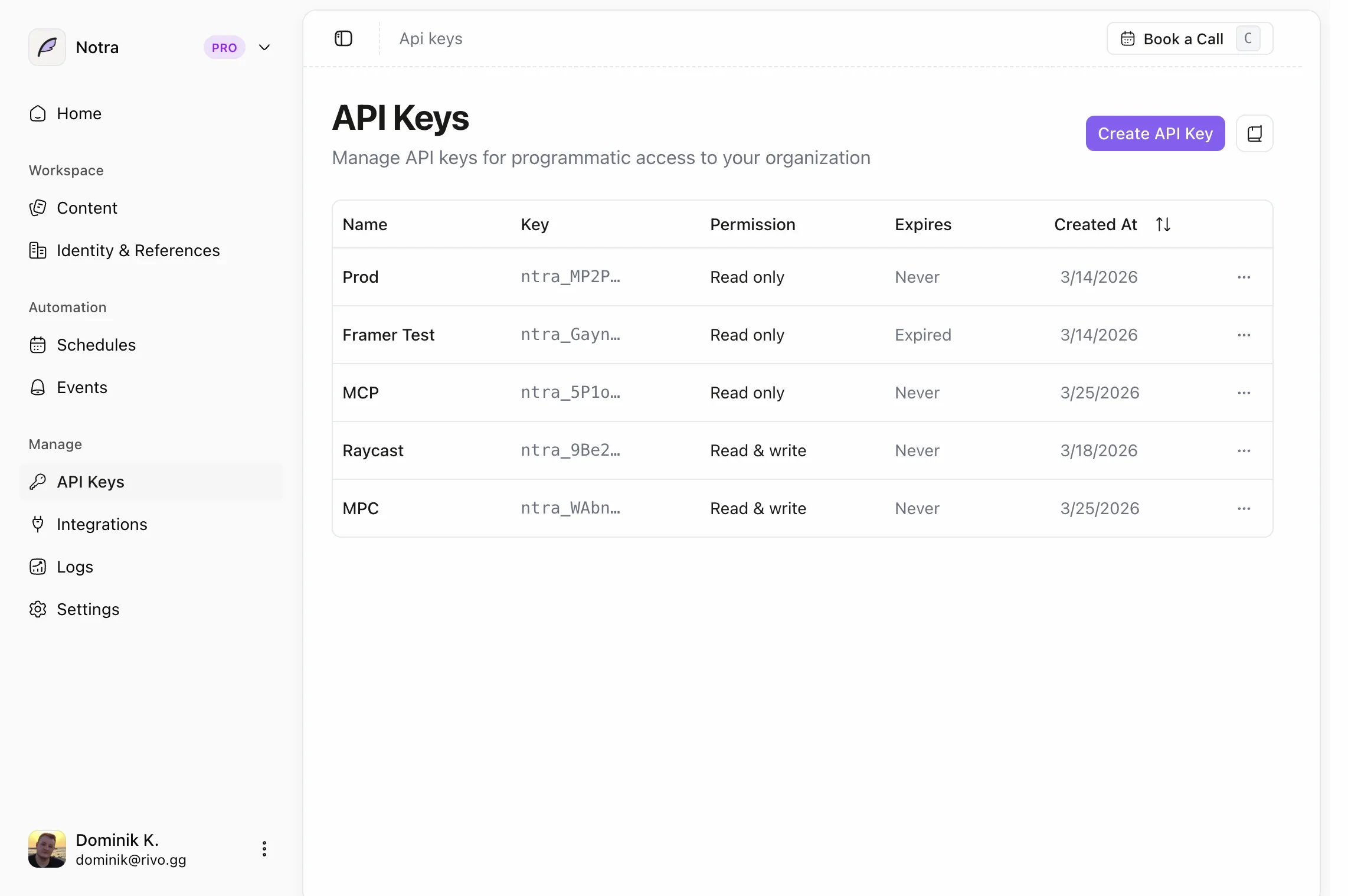
In the dashboard, click API Keys at the bottom of the sidebar (
app.usenotra.com/{org-slug}/api-keys). Keys belong to the organization you are viewing.2
Start from a preset or a blank key
The page offers three presets: MCP Server (read and write on every resource), SDK (read on every resource) and CLI (read and write on every resource). Each one prefills a name and permissions. Create API Key opens the same form with read access on every resource.
3
Choose a name, expiration and permissions
Expiration is one of No expiry, 7 days, 30 days, 60 days or 90 days. Permissions use one of three access modes: Full Access (every scope), GEO Access (read and write on the GEO resources only) or Restricted, which shows a None / Read / Write selector for each resource.
4
Copy the key
The key is shown once after creation. Store it server-side. You can rename a key, change its expiration and adjust its permissions later from the same page, and delete it at any time.
Scopes
Every resource has a<resource>.read and a <resource>.write scope. The API derives the required scope from the request: GET needs the read scope, and POST, PUT, PATCH and DELETE need the write scope. A write scope does not imply the read scope, so a key that should both read and update posts needs posts.read and posts.write. In the dashboard, choosing Write for a resource grants both.
GET /v1/status and POST /v1/feedback/{organizationSlug} need no key at all.
Legacy scopes
Keys created before granular scopes existed carryapi.read or api.write. They keep working: api.write satisfies every scope, and api.read satisfies every read scope. The API Keys page shows these keys with their expanded permissions, and saving a key from the editor converts it to granular scopes.
Plan requirements
Scopes are checked first, then the organization’s plan:POST,PUTandPATCHrequests need an active paid plan or a positive AI credit balance. Otherwise the API returns402witherror: "Active subscription required".GETandDELETEalways work so you can read and remove your data.- Every GEO endpoint (
/v1/projects/*and/v1/geo/ingest/*), reads included, needs a GEO plan. Otherwise the API returns402witherror: "GEO requires a Starter, Growth, or Scale plan".
OAuth
OAuth lets a CLI, MCP client or agent obtain a token for a signed-in user without that user creating and pasting an API key. Tokens are issued by the Notra authorization server athttps://oauth.usenotra.com, are bound to one organization, carry the scopes the user approved, and can be refreshed and revoked. The Notra MCP server at https://mcp.usenotra.com/mcp accepts the same tokens.
Use OAuth when a person is present to approve access, when you want per-user identity on requests, or when the credential should expire on its own. Use an API key for unattended server-to-server work.
Discovery
Everything a client needs is published as standard metadata:
The protected resource metadata lists the authorization server,
scopes_supported (offline_access plus every <resource>.read and <resource>.write scope from the table above) and bearer_methods_supported: ["header"]. Any 401 from the API or the MCP server carries WWW-Authenticate: Bearer resource_metadata="..." pointing at the matching document, so a client that starts with an unauthenticated request can discover the rest.
The authorization server exposes:
Supported: the authorization code grant with PKCE (
S256), the refresh token grant, and the device authorization grant. Clients are public (token_endpoint_auth_methods_supported: ["none"]), so no client secret is involved.
Register a client
Register once with dynamic client registration and store the returnedclient_id:
posts.read posts.write, and add offline_access if you want a refresh token. Scopes are checked exactly like API key scopes: GET needs <resource>.read, mutations need <resource>.write, and a token whose scope claim is * satisfies everything.
Authorization code flow with PKCE
- Generate a random
code_verifierand itsS256code_challenge. - Open the user’s browser at the authorization endpoint:
- The user signs in, picks the organization and approves the scopes. The browser is redirected to
redirect_uriwithcodeandstate. - Exchange the code for tokens:
access_token, expires_in, token_type: "Bearer", the granted scope, and refresh_token when offline_access was granted.
Device flow for headless CLIs
When there is no browser on the machine (SSH sessions, containers, CI runners with a person watching), use the device authorization grant:verification_uri and user_code to the user, then poll the token endpoint at the returned interval until they approve:
error: "authorization_pending" (or slow_down); keep polling. Once approved you get the same token response as the code flow.
Use the access token
Send it exactly like an API key:401 with an expiry error, refresh and retry. Per-key rate limits apply per user and organization for OAuth tokens, so two users in the same organization have separate budgets.
Refresh with offline_access
If the user grantedoffline_access, exchange the refresh token for a new access token when the old one expires:
offline_access there is no refresh token and the user must sign in again when the access token expires.
Revocation
Revoke a token when the user signs out or the client is uninstalled:401, run discovery and the authorization flow again rather than retrying with the old token.
OAuth-specific errors
OAuth tokens go through the same{ error, code, recovery } envelope. In addition to the errors listed under Error Responses, you may see:
Error Responses
Authentication and authorization failures, for API keys and OAuth tokens alike, return a JSON body with three fields:code is the error string upper-cased with non-alphanumeric runs replaced by _. 401 responses also include WWW-Authenticate: Bearer resource_metadata="https://api.usenotra.com/.well-known/oauth-protected-resource", which is the entry point for OAuth discovery.