> ## Documentation Index
> Fetch the complete documentation index at: https://docs.usenotra.com/llms.txt
> Use this file to discover all available pages before exploring further.
# Welcome to Notra
> Turn your team's work into ready-to-publish content with AI-powered automation
Notra helps teams transform daily work, including merged pull requests, releases, commits, and Linear issues, into polished content for changelogs, blog posts, and social media updates.
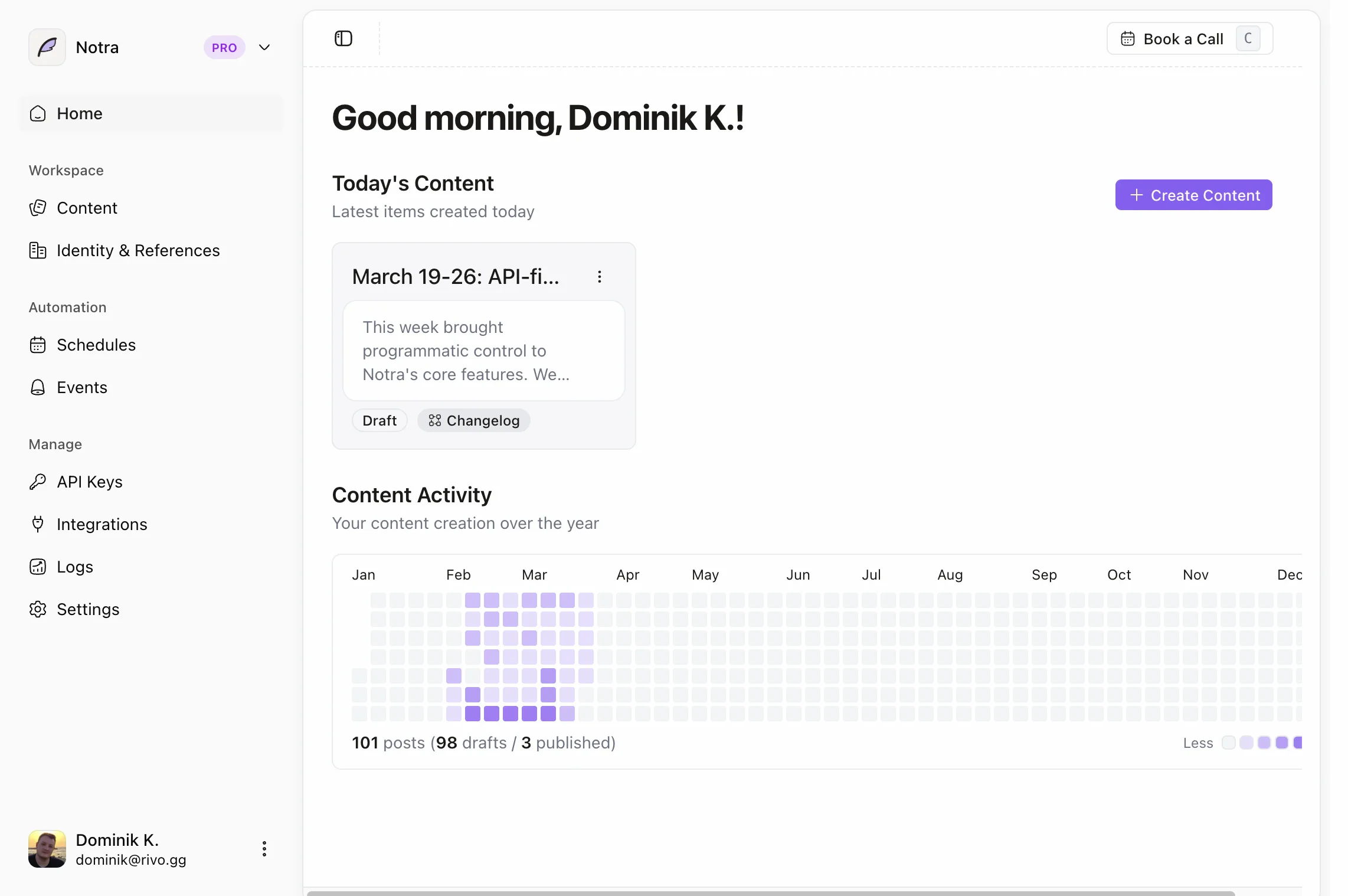
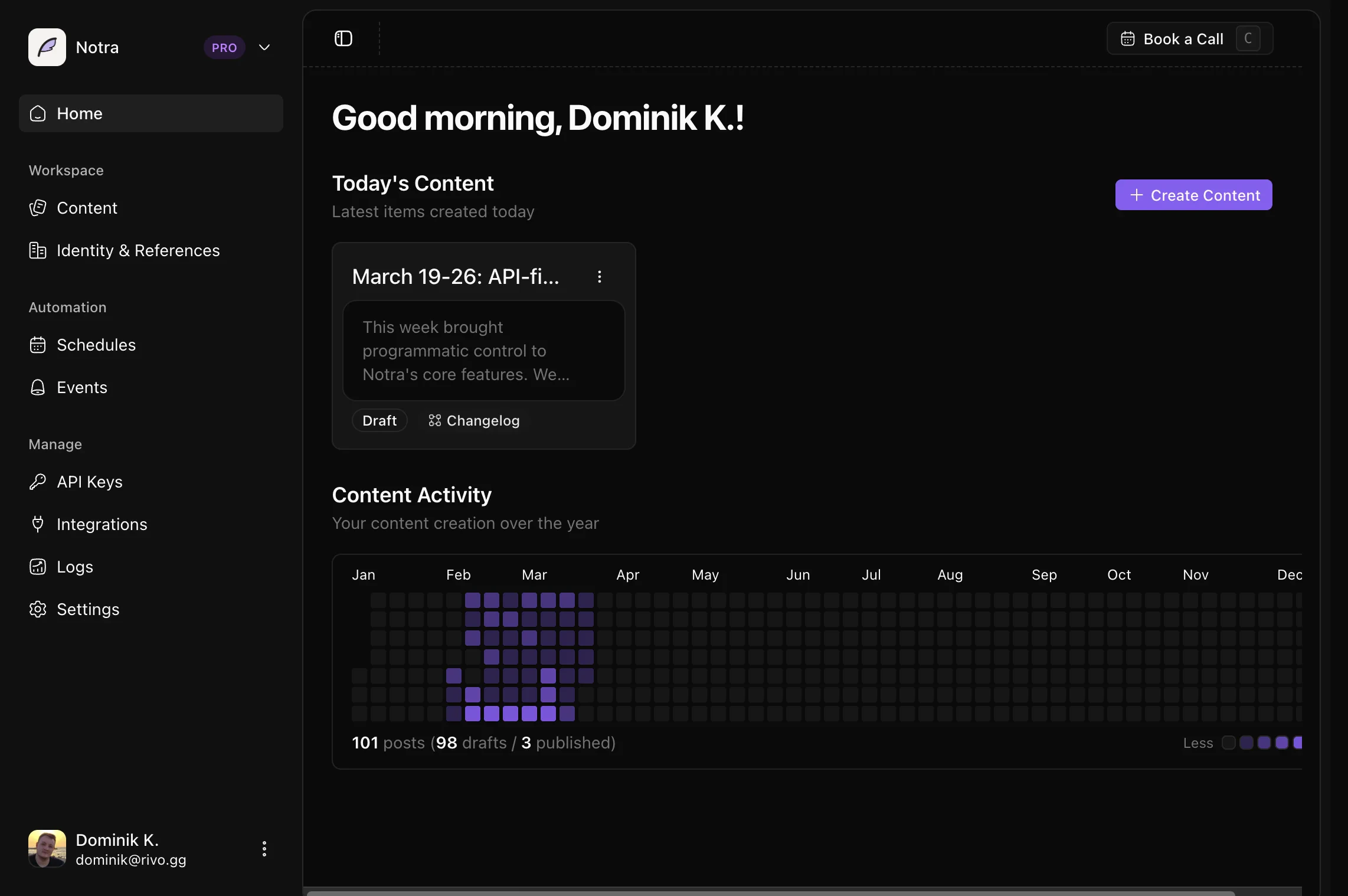 ## What is Notra?
Notra is a SaaS platform that automates content creation by connecting to your team's tools and using AI to analyze activity and generate drafts. It eliminates manual effort by working in the background and adapting content to match your brand voice.
Integrate GitHub and Linear to pull product and engineering activity. Slack support is planned.
Automatically identify high-signal updates worth sharing with your audience.
Create drafts for changelogs, blog posts, and social media in your brand voice.
Set up event-driven triggers or scheduled workflows to run in the background.
## Get started
Sign up and create your organization workspace to get started with Notra.
Link your first GitHub repository to start tracking meaningful activity.
Configure your brand identity so AI generates content that sounds like you.
Create your first changelog or blog post from recent GitHub activity.
Follow our step-by-step guide to generate your first content in minutes.
## How Notra works
Notra runs as an event-driven content pipeline that transforms technical activity into audience-ready content.
### Generation pipeline
Pull updates from GitHub and Linear into a normalized format.
AI identifies what changed, why it matters, and what's worth sharing.
Create structured content for changelogs, blog posts, and social media.
### Brand and publishing
Adapt output to your preferred tone while keeping technical accuracy.
Access ready-to-review content in your dashboard and copy it for publishing.
## Core features
### Integrations
Connect the tools your team already uses to automatically track product updates.
Track pull requests, releases, and repository activity.
Monitor issue status and project progress.
Capture important conversations and announcements. Coming soon.
### Automation
Set up workflows that run automatically without manual intervention.
React to GitHub webhooks and generate content when releases are published or commits are pushed to the default branch.
Run daily, weekly, or monthly summaries on a cron schedule.
### Content types
Generate multiple content formats from the same source activity.
Technical release notes for developers and product teams.
Feature announcements and product updates for your blog.
Twitter and LinkedIn posts optimized for engagement.
Planned progress summaries for stakeholders and investors.
### Brand identity
Train Notra to write in your unique voice and style.
Configure your **company profile**, **tone settings**, and **target audience** in the Brand Identity section to ensure all generated content matches your brand.
Set your company name, description, and website URL.
Choose from preset tones or define custom voice guidelines.
Describe who you're writing for to optimize messaging.
Add specific rules for AI-generated content.
## What you can build
Set up a **scheduled workflow** that runs every Friday at 5 PM UTC to generate a changelog from the week's merged PRs across your repositories. Content is created in draft status for review and manual publishing.
Configure an **event-based trigger** that listens for GitHub release events and immediately generates formatted release notes with feature highlights, bug fixes, and breaking changes.
Create **multiple content types** from the same source activity. When a release is published, generate a technical changelog entry, a blog post draft, and Twitter/LinkedIn announcements.
Schedule a **monthly summary** that analyzes activity across all repositories and generates a blog post or changelog highlighting shipped work and key achievements.
## Next steps
Generate your first content in under 5 minutes.
Programmatically access content and trigger workflows.
Let AI agents manage Notra on your behalf.
**Need help getting started?** Check out our [Quickstart guide](/quickstart) or explore our [GitHub repository](https://github.com/usenotra/notra) to see the open-source codebase.
## What is Notra?
Notra is a SaaS platform that automates content creation by connecting to your team's tools and using AI to analyze activity and generate drafts. It eliminates manual effort by working in the background and adapting content to match your brand voice.
Integrate GitHub and Linear to pull product and engineering activity. Slack support is planned.
Automatically identify high-signal updates worth sharing with your audience.
Create drafts for changelogs, blog posts, and social media in your brand voice.
Set up event-driven triggers or scheduled workflows to run in the background.
## Get started
Sign up and create your organization workspace to get started with Notra.
Link your first GitHub repository to start tracking meaningful activity.
Configure your brand identity so AI generates content that sounds like you.
Create your first changelog or blog post from recent GitHub activity.
Follow our step-by-step guide to generate your first content in minutes.
## How Notra works
Notra runs as an event-driven content pipeline that transforms technical activity into audience-ready content.
### Generation pipeline
Pull updates from GitHub and Linear into a normalized format.
AI identifies what changed, why it matters, and what's worth sharing.
Create structured content for changelogs, blog posts, and social media.
### Brand and publishing
Adapt output to your preferred tone while keeping technical accuracy.
Access ready-to-review content in your dashboard and copy it for publishing.
## Core features
### Integrations
Connect the tools your team already uses to automatically track product updates.
Track pull requests, releases, and repository activity.
Monitor issue status and project progress.
Capture important conversations and announcements. Coming soon.
### Automation
Set up workflows that run automatically without manual intervention.
React to GitHub webhooks and generate content when releases are published or commits are pushed to the default branch.
Run daily, weekly, or monthly summaries on a cron schedule.
### Content types
Generate multiple content formats from the same source activity.
Technical release notes for developers and product teams.
Feature announcements and product updates for your blog.
Twitter and LinkedIn posts optimized for engagement.
Planned progress summaries for stakeholders and investors.
### Brand identity
Train Notra to write in your unique voice and style.
Configure your **company profile**, **tone settings**, and **target audience** in the Brand Identity section to ensure all generated content matches your brand.
Set your company name, description, and website URL.
Choose from preset tones or define custom voice guidelines.
Describe who you're writing for to optimize messaging.
Add specific rules for AI-generated content.
## What you can build
Set up a **scheduled workflow** that runs every Friday at 5 PM UTC to generate a changelog from the week's merged PRs across your repositories. Content is created in draft status for review and manual publishing.
Configure an **event-based trigger** that listens for GitHub release events and immediately generates formatted release notes with feature highlights, bug fixes, and breaking changes.
Create **multiple content types** from the same source activity. When a release is published, generate a technical changelog entry, a blog post draft, and Twitter/LinkedIn announcements.
Schedule a **monthly summary** that analyzes activity across all repositories and generates a blog post or changelog highlighting shipped work and key achievements.
## Next steps
Generate your first content in under 5 minutes.
Programmatically access content and trigger workflows.
Let AI agents manage Notra on your behalf.
**Need help getting started?** Check out our [Quickstart guide](/quickstart) or explore our [GitHub repository](https://github.com/usenotra/notra) to see the open-source codebase.